Step 1from €24/mo
Your booking page
Booking Solo or Booking Team
Services, prices, people and hours. Your own link and QR code, reminders by text and email, and contacts that remember. No AI anywhere.
- Online booking
- Answers questions
- Books for you
Free while you build it. You pay the day you go live.
A booking page on your own link, a diary for each person, and reminders by text message and email that cut no-shows. €24 a month for one person, €41 for you and 5 more, billed yearly. Nothing per booking — not for a new client, not for a regular. Add the AI assistant whenever you want it.
Reviewed
Your own link and QR code. It opens in any phone browser, in the language the phone is set to. Nobody downloads an app and nobody creates an account.
Own hours, own services, own appointment lengths and breaks. Clients pick the person they want, or take whoever is free first.
By text message and by email, sent for you. Email reminders are unlimited; texts are an allowance each month, and the dashboard shows how many are left.
Free times are read live from each person’s Google Calendar or Cal.com, and a time somebody is filling in their details for is held while they do it.
Every booking carries a link to move it or cancel it. That is a gap you can refill instead of a chair nobody told you about.
Every booking creates or matches a contact, with visit history, notes, and reminder consent recorded and dated. Export the whole list yourself, whenever you like.
Your regulars do not download anything or sign up. They pick a service, a person and a time, and get a link to change or cancel it.
[Your business name]
Book with us — day or night
book.opusdone.com
Somebody walks past at nine at night and likes what they see. One scan and they are on your booking page, looking at real free times for tomorrow morning — not a contact form, not a phone that rings out.
Reads from the pavement, and it works at the hour you are shut, which is the hour people decide.
The client who is standing in front of you rebooking, without you opening the diary.
The bottom of a receipt and the back of a business card are the two things people keep.
The leaflet stops being a phone number somebody has to be awake to answer.
The code above opens our own booking site, so you can try the flow from your phone right now. Yours opens your page: it is in the dashboard under Booking page → Share the moment your page is live, as a vector file that stays sharp on a sticker and on an A4 poster.
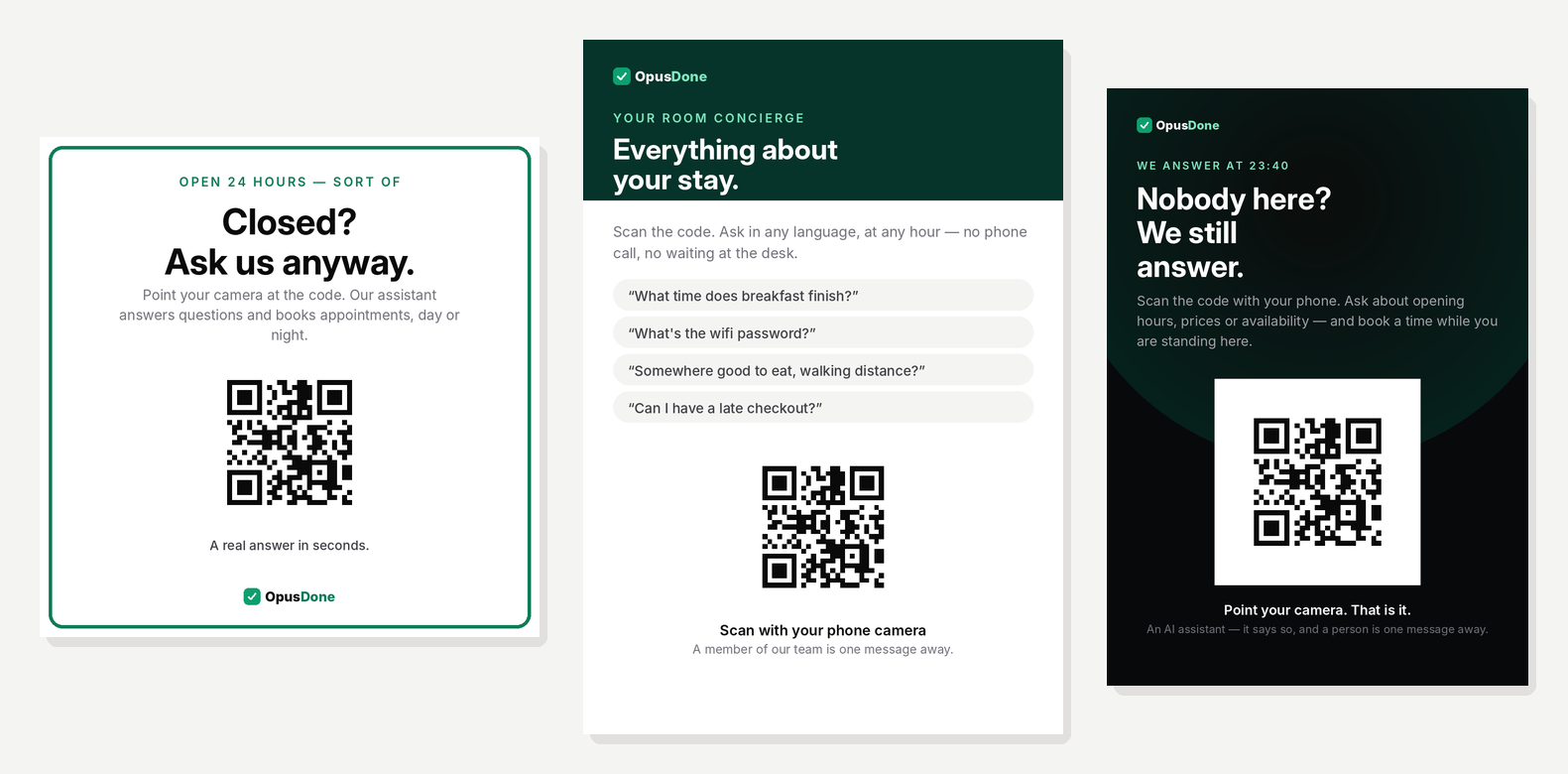
Your code is drawn as vector, so the same file is right at 60 mm on glass and at A4 on a wall. Download it, or copy one line and put a Book button on your own website.
For the glass, the door, the till. Reads from the pavement.
Reception desks, treatment rooms, the counter by the card machine.
Waiting rooms, notice boards, the back of the van.
The same cards as our pricing page, booking desk only — one component, one set of prices, no second opinion about money.
Your diary online, for one person
Billed €290 a year
What you get
A diary for each person on the team
Billed €490 a year
Everything in Booking Solo, plus
Also included
It answers on your website and Telegram, books into the same diaries and hands over to you when unsure.
Same diary, same contacts, same reminders.
Every price before VAT. No card to start, no minimum term, and you cancel from Billing in your dashboard. The AI assistant is an upgrade, not a rebuild: your diary, your services and your contacts stay exactly as they are.
Put in what you actually pay — the subscription, plus anything taken out of a booking. We will put our own price next to it.
Our side is read from our live plan rows: Booking Solo €29 (€24 billed yearly), or Booking Team €49 (€41 billed yearly) for 6 people, then €9.99 for each extra person. Both before VAT, like the figures you type in. We do not guess at anybody else’s bill — you know yours.
Including the one where we are the weaker product today.
| — | OpusDone Booking | A typical booking app |
|---|---|---|
| Is there a commission on a booking? | None, ever — on any booking, from any source | Commonly 20–30% of a new client’s first visit, when the booking comes through their marketplace |
| Can you get your client list out yourself? | Export the whole list from your dashboard, any time | Often only by emailing support and waiting |
| Can you cancel without writing an email? | From Billing in your dashboard | Often by emailing support |
| Is there a minimum term? | None | Up to 12 months on some |
| Who else appears on your page? | Nobody. Your services, your people, your prices | A marketplace shows competing businesses beside you |
| Does it read the calendar you already use? | Google Calendar and Cal.com, both ways | Often import-only, so your own calendar never fills |
| Can it answer questions, not just take bookings? | Add the AI assistant from €49 a month. Same diary, same contacts | Rarely, and usually sold per location |
| A consumer app people are already browsing | No. What brings you bookings on day one is your own link, your QR code and your Instagram bio | Millions of people already browsing |
| Card payments and deposits | Coming soon | Usually yes, at a card fee |
The right-hand column describes terms published by widely used booking platforms in Spain, reviewed on 23 September 2026, as ranges. It is not a statement about any one company, and yours may differ — check your own contract, which is the only comparison that decides anything. Amber rows are where the other kind of product is stronger today.
Three steps, and you stop at whichever one is enough. Nothing you set up on the way is redone.
Booking Solo or Booking Team
Services, prices, people and hours. Your own link and QR code, reminders by text and email, and contacts that remember. No AI anywhere.
Add the AI assistant
It answers on your website and on Telegram, in the language the customer writes in — prices, hours, parking, what a treatment involves — only from what you approved. When it does not know, it says so and fetches you.
Same plan, one switch
The same assistant now writes into the same diaries, with the same rules about notice and length. You are still the one it hands a conversation to the moment it is unsure.
You can stop at step 1 for good. Plenty of businesses do, and the diary is worth the money on its own.
You do not have to switch on a single day. Leave the appointments you already have where they are, take every new one on your own page, and close the old account once the last old appointment has passed.
Most send it by email when you ask, as a CSV or an Excel file. It is your data and you are entitled to a copy of it. Here is the request, ready to send:
Asunto: Copia de mi lista de clientes

Hola, soy [nombre], de [negocio] (cuenta [email]). Por favor, enviadme una copia de mi lista de clientes con sus datos de contacto, en CSV o Excel. Gracias.
Add your services, prices and people, and connect each person’s Google Calendar or Cal.com. Your page is live on its own link, with a QR code, at the end of it.
Contacts → Import. The columns are matched for you, duplicates are merged, and you see exactly what will be skipped before anything is written. Appointments already booked: add them at the desk, or leave them where they are until they pass.
Your Instagram bio, the booking link on your Google Business Profile, your WhatsApp status, and the sticker on the door.
These are how the product is built and billed, not a promotion.
Not for a new client, not for a regular, not for somebody who found you through a QR code or your Instagram. The price is the plan.
Your booking page lists your services and your people. There is no “you may also like” strip under your name.
Your contacts and your bookings download from your dashboard whenever you like — the whole list, not the first screen of it. You never have to ask us for them.
We do not import reviews and we never invent them. Reviews you have collected elsewhere belong to that platform; your page here starts honest and empty.
Monthly or yearly, and you cancel from Billing in your dashboard.

Free while you set it up. You pay when you go live. Prices before VAT.
Start free