OpusDone
Call the demo+34 930 454 996Log inGet started

AI receptionist and booking system for restaurants, cafés and bars

More reservations. More orders.Less time on the phone.

OpusDone answers customer calls and enquiries, helps guests reserve tables and handles booking requests while your team focuses on serving customers. Keep reservations organised and make it easier for guests to choose your restaurant.

  • Answers 24/7
  • Phone, WhatsApp and web chat
  • 9 languages, 32 by voice
  • Delivery and takeaway, paid by link
  • QR menu, waiter calls, kitchen screen
Demo AI RestaurantIncoming call · 00:41 · EnglishLive

Hi, do you have a table for six on Friday at nine?

On Friday at 21:00 the dining room is full. I have the terrace at 21:00, or the dining room at the second sitting, 22:30. Which would you prefer?

The terrace. Two of us are coeliac.

Noted: two gluten-free. For groups of six we ask a €10 deposit per guest. I am sending you the link by SMS now.

Booked · Fri 21:00 · 6 guests · Terrace2× gluten-free noted · deposit link sent by SMS

Example conversations on Demo AI Restaurant, a demo restaurant run on OpusDone.

Try it before you read further

Meet Demo AI Restaurant.Call it, book it, sit at its table.

A restaurant in El Born, Barcelona, set up on OpusDone. Everything below works — the same system your guests would use.

Demo line · not a real restaurant

1 · Call our demo restaurant

+34 930 455 095

Hear what your guests would hear. It answers straight away, takes the booking and confirms it — the same assistant your restaurant gets.

It answers in English or Spanish. If it starts in Spanish, say “Can you speak English?” and it switches.

Try asking

  • “A table for 4 tomorrow at 9pm, on the terrace”
  • “What do you have that’s gluten-free?”
  • “What time are you open on Sunday?”
  • “Two paellas for delivery”
Call the demo
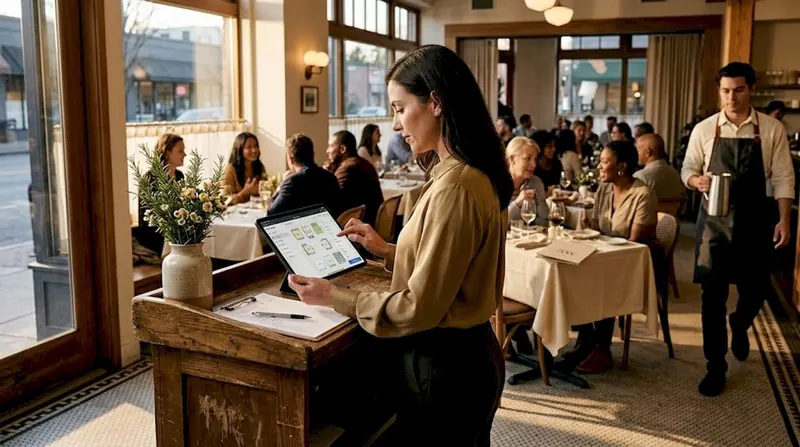
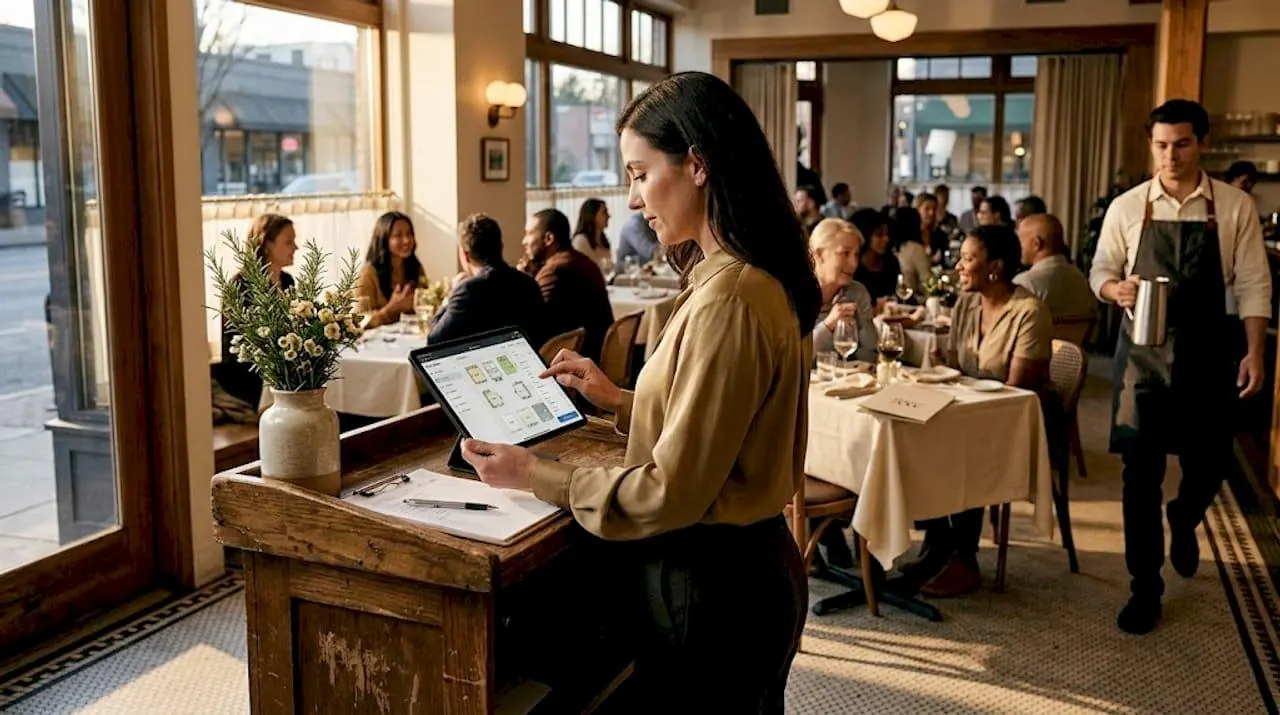
The host stand at Demo AI Restaurant

2 · Book a table or order delivery

Its page on OpusDone Reservas

Tables by day and time, the menu, delivery and pickup — and the same assistant by chat or voice. Your restaurant gets this page too.

Open the booking page

3 · Sit at table T1

Scan the table’s QR menu

What your guests see at the table: photos, allergens, ordering in rounds, Call waiter and the bill.

Open the table menu

4 · Run it yourself

Now open the side your team uses.

Start free, choose “Restaurant, café or bar”, and you get the same dashboard Demo AI Restaurant runs on.

Open my restaurant dashboard

Free for a month, no card. It starts empty: add your tables and menu yourself, or we set it up with you on a short call.

  • Tonight — every booking and table at a glance
  • Tables, areas and your floor plan
  • Shifts, sittings and booking rules
  • Menu with photos and allergens
  • Kitchen orders — table, delivery and takeaway
  • Sales and cash

Normal call rates. It says it is an AI assistant and that the call is recorded. Demo bookings and orders are cleared every night; demo payments are never charged.

Why it matters

A missed call is a table that goes next door.And it happens when you are busiest.

Lunch rush, Saturday night, after closing — the moments the phone rings most are the moments nobody can pick it up. Guests rarely leave a message. They book somewhere else.

  • 1 in 3

    calls to restaurants go unanswered during peak service hours.

    Maple, 1.2 million calls to 1,000+ restaurants and local businesses, Dec 2023 – Nov 2025
  • 78%

    of people have taken their business elsewhere after they couldn’t get through by phone.

    CallRail, survey of 1,000 US consumers, Sept 2025
  • 38%

    of the calls a restaurant gets are reservations. Most of the rest — hours, menu, orders — the assistant answers too.

    Maple, the same 1.2 million calls
  1. 14:00

    Lunch rush

    Menú del día on every table, a queue at the door, the phone under the bar.

  2. 21:00

    Dinner service

    Two sittings, a terrace, a birthday for twelve asking about a deposit.

  3. 00:30

    Closed

    Tomorrow’s tables get decided tonight, on Instagram and Google, by whoever answers first.

What you get back

More time on the floor. More tables booked.The assistant takes the phone. You take care of your guests.

  • Time back during service

    No more running to the phone with plates in your hands, and no list of people to call back after closing.

    The assistant answers, books and writes it on tonight’s list.
  • Bookings while you’re closed

    At one in the morning someone plans Friday’s birthday. The table is booked, the deposit paid and the reminder set before you open.

    Answers 24/7, by phone and chat.
  • No call goes unanswered

    In the rush, after hours, on a Sunday — the phone is answered, in the guest’s own language.

    Nine languages with native voices.
  • You stay in charge

    Take any call yourself, keep big groups for the manager, or switch the assistant off whenever you want.

    One tap, any time.

NewFor restaurants, cafés and bars

More reservations. More orders.Less time on the phone.

The assistant answers the phone and WhatsApp in any guest’s language, books the right table and takes paid delivery orders. Guests order from a QR menu at the table; the kitchen sees every round.

  • Books tables by phone, WhatsApp and chat
  • 9 languages, 32 by voice
  • Delivery and takeaway, paid by SMS link
  • Reminders by SMS or email
  • QR menu, waiter calls, kitchen screen
  • Floor plan and tonight’s list

Start small

Start with the phone. Add the rest when you’re ready.Nothing changes in your kitchen on day one.

Most restaurants start with the AI booking assistant and keep working the way they do today. When you want more, switch on the full system — one piece at a time.

  1. 1
    AI booking assistantDay one

    Answers your phone, WhatsApp and website in the guest’s language, books tables, takes group deposits and sends reminders. Keep your paper book, or your reservation platform — we connect it on request.

  2. 2
    The full restaurant systemWhen you’re ready

    Floor plan and tonight’s list, QR menu with ordering, kitchen screen, delivery and takeaway paid by link. Same assistant, same data — nothing to move over.

Your switchesChange them any time
  • AI answers phone and chatYour hours, your sittings, who gets big groups
  • Menu on your booking pageGuests read it before they book
  • Show pricesOr keep the menu without them
  • Ordering from the tableOff: the QR shows the menu and Call waiter only
  • Approve each table’s first orderThe first round waits for your OK
  • Delivery and takeawayPay online, at pickup, or both
  • Arroz negroPaused until tomorrow

Turn anything off again in one tap. Take any call yourself, any time.

One system

From the first call to the bill.Nothing to stitch together.

Booking, floor plan, QR menu, kitchen and waiters share one list of tonight’s tables. The booking made on the phone is the table the QR code opens, the order the kitchen cooks and the bill your waiter brings.

  1. 01

    Phone and chat

    The AI books by party size, time and zone, in the guest’s language.

  2. 02

    Floor plan

    Your tables, seats and zones. Seat walk-ins, move parties, see how long each table has been sitting.

  3. 03

    QR at the table

    Menu with allergens, orders in rounds, Call waiter and Ask for the bill, from the guest’s phone.

  4. 04

    Kitchen and bar

    Each round lands on the kitchen screen, drinks on the bar’s. Ready is one tap.

  5. 05

    Bill and a free table

    The bill adds up every round. Mark it paid by card or cash and the table is free again.

One assistant

One AI assistant for every way guests reach you.Phone, WhatsApp, website, booking page and the table.

It knows your tables, sittings, kitchen hours and menu — the same on every channel. Every conversation lands in one inbox, and you can take over any of them.

  • Phone

    Your own number forwarded, or a new local number. A natural voice, in the guest’s language.

  • WhatsApp

    Bookings, “running late” and orders in the chat your guests already use.

  • Website chat and Talk

    A chat on your website — guests can type, or just talk to it.

  • Booking page

    Your page on OpusDone Reservas: tables, menu, delivery. Share it on Google and Instagram.

  • At the table

    Each table’s QR opens your menu: order in rounds, call the waiter, ask for the bill.

You are in charge

One tap decides who answers the phone.

Busy service? The assistant. A quiet Tuesday? You. Or you first, and the assistant when nobody picks up. Keep your own number or get a new local one.

Who answers your phone

The assistant answers every call and books into tonight’s list.

See it work · 33 s

Saturday night. Full house. The phone still gets answered.

OpusDone — the story

33 seconds · sound on

Every guest’s language

It speaks your guest’s language.On the phone, in a natural voice.

A family from Milan, a group from Berlin, a tourist from Shanghai — each one is answered in their own language, by voice and by chat. Your team sees the booking on tonight’s list, as always.

  • English
  • Español
  • Polski
  • Italiano
  • Deutsch
  • Français
  • Português
  • 中文
  • العربية
  • + 23 more by voice

Spanish, English, Polish, Italian, German, French, Portuguese, Chinese and Arabic, each with a native voice — on the phone and in chat. Switch on “Answer in any language” and it follows every customer into their own: 32 languages by voice, any language in writing.

Incoming call · 00:36Italiano · natural voice

Buonasera, avete un tavolo per quattro sabato alle nove?

Buonasera! Sabato alle 21:00 ho un tavolo per quattro in terrazza. A che nome lo prenoto?

Rossi. Uno di noi è celiaco.

Perfetto, signor Rossi: sabato alle 21:00, quattro persone, terrazza. Ho segnato “senza glutine”. Le mando la conferma per SMS.

Booked · Sat 21:00 · 4 guests · TerraceRossi · gluten-free noted · on tonight’s list

Table bookings

Booked while you’re serving.It asks, checks, confirms — and reminds them the day before.

01

Party, day, time, zone

It asks what a good host asks: how many, when, inside or terrace, a high chair, an occasion.

6 guestsFri 21:00Terrace
02

Checks the places left

Live covers per sitting and zone. Full? It offers the nearest real alternatives, never a maybe.

Dining room 21:00Full
Terrace 21:008 left
03

Deposit for big groups

From the party size you choose, it sends the booking link with the deposit by SMS. The table is held until it is paid.

6 × €10 deposit
Paid · €60
04

Confirmed and reminded

Confirmation now, a reminder the day before — by SMS or email. One tap to cancel gives the places back to the room.

“Demo AI Restaurant: table for 6, Fri 21:00, terrace. Change or cancel: opd.one/r/k7…”

Delivery and takeaway

Orders by phone and chat.Paid before the kitchen starts.

Guests order delivery or pickup by calling, on WhatsApp or in the chat. The assistant reads the order back once and sends the payment link by SMS — the moment it is paid, the ticket is on the kitchen screen and you get the alert.

  • Ordered by phone, WhatsApp or chat

    It knows your menu, prices, delivery zone, fee and minimum order — nothing you have not published.

  • One clear read-back

    Dishes, time and address, once. The guest says yes.

  • Payment link by SMS

    Or by email, or in the chat. You choose: pay online, at pickup, or both.

  • Paid → kitchen and you

    The paid ticket lands on the kitchen screen and you get the alert. Pickup orders paid at the counter wait for your OK.

Paid straight into your own Stripe account. No commission per order.

Your digital menu

Your menu, your look — ordered from the table.QR codes ready to print for every table.

Your dishes with photos and allergens, in your colours and fonts. Print a QR code for each table — guests scan, choose and send the order to the kitchen from their phone, or from a tablet you leave on the table. In their language, with no app.

Open table T1’s menu

Live preview · the real table menu · Demo AI Restaurant

Same menu, same orders: the guest’s phone and a tablet on the table. Pick a look and a language.

  • Your menu, your look

    Night, Classic, Market or Minimal, with your colours, fonts and cover photo. Allergen filters built in.

  • QR codes ready to print

    One per table — download PNG or SVG, or print them all at once. Each code knows its table.

  • Order, waiter, bill

    Drinks first, mains later. Call the waiter or ask for the bill from the same page.

  • Their phone or your tablet

    No app to install. Pause a dish and it is gone from every table.

Optional: “Ask the menu”You switch it on

For tourists who don’t speak Spanish: they ask the menu in their own language — what is in the croquetas, what is gluten-free, a wine with the paella — and it answers from your menu and allergen notes. It can call the waiter or send the round for them. Your waiters stay the hosts.

Chat or voice

Tables and zones

Draw your dining room in minutes.Every table and seat, where it really is.

Tap a round, square or long table onto the floor, drag it into place and set how many it seats. The dining room, the terrace and the bar each get their own plan, and the booking page, the AI and Tonight all seat guests from it.

  • Zones that fit your place

    Dining room, terrace, bar, private room — each with its own tables and places.

  • Tables that push together

    Say which tables join for bigger groups: T7 + T8 makes 8, so a party of eight gets seated there.

  • Who can book each table

    Keep the window table for walk-ins and let guests and the AI book the rest online.

  • A QR code on every table

    Each table has its own code: guests scan it to see the menu, order and call the waiter.

Tonight, on one screen.Every table and every guest, live.

The floor plan shows each table as it is right now: free, booked, seated, running late or waiting for the bill. Beside it, everyone booked tonight — by phone, chat, booking page or walk-in. Tap a table to seat a party, move it or add an order.

Kitchen and waiters

Every order on the kitchen screen.Every call on the floor.

Rounds from the QR code and from your waiters land on one board: New, In the kitchen, Ready. Put a tablet on the pass in kitchen-screen mode and the cooks see only what they need.

  • Kitchen and bar

    Food to the kitchen, drinks to the bar. Each screen shows its own station.

  • Ready tells the floor

    When the kitchen taps Ready, the bell rings for the waiters and opens that table.

  • Waiters add orders too

    A table that would rather tell a person? The waiter adds the round from the floor plan in a few taps.

  • The bill, without a till

    Every round adds up on the table. Mark it paid by card, cash or other, and the table is free.

At the table, guests pay your staff as always. Delivery and takeaway are paid by link, straight into your own Stripe account — no commission per order.

Everything a host does on the phone.Without leaving the floor.

Sittings and covers

First and second sitting, places per sitting. Lunch, dinner and weekend brunch each with their own times.

Dining room or terrace

Each zone has its own tables and places. The AI only offers what is free.

Group deposits

Per guest, from the party size you choose. Pay link by SMS; no-shows stop costing you the table.

Allergies and notes

Gluten, vegan, high chair, stroller, birthday: saved as tags your host sees on tonight’s list.

“We are running late”

It finds the booking by phone number, notes the new time and tells the team.

Big groups to the manager

Above your online limit, the call goes to whoever you chose. Nobody free? A call back after service.

A café owner taking a call at the counter

Cafés, brunch and bars

Not every place needs a table plan.Every place needs the phone answered.

Weekend brunch tables, the group of twelve for a birthday, and the questions that interrupt the coffee machine: oat milk, wifi, laptops, dogs, gluten-free cake.

  • Brunch sittings on Saturday and Sunday only
  • Group bookings with a deposit, everything else walk-in
  • A QR menu on the bar, with or without ordering

A restaurant lives on being believed.So it only says what you said.

Never overbooks

Places are re-counted at the moment of booking. Two guests can never get the last table.

Allergies from your notes

Word for word from what you approved, then a person confirms. No guessing.

No invented menu

No dishes, prices or Christmas menu you have not published.

Says it is an AI

Once per call, in the guest’s language, as the EU AI Act asks.

Live before Friday service

Keep your number, or get a new one.Keep your system, or use ours.

  • Forward your own number

    Only when busy, only during service, or always. Your guests keep calling the number they know.

  • Or get a new local number

    A local number answered by your assistant from day one. Put it on Google and on your door.

  • Already on a reservation platform?

    Keep it. CoverManager, TheFork, OpenTable, ResDiary and others: we connect the assistant to your system on request.

A 30-minute setup call and a test service together. AI Team or AI Pro + a phone package. No commission per cover, no fee per order.

See pricing

Restaurant questions, answered.

Does it manage tables or only covers?

Both. You draw your floor plan with tables, seats and zones, and set covers per sitting. It never sells more places than you set, and your host can still move a party to another table in one tap.

Do guests pay for their food online?

At the table, no: guests ask for the bill and pay your staff as always. Delivery and takeaway orders are paid by a link sent by SMS or in the chat, straight into your own Stripe account — or at pickup, if you prefer. Group deposits are paid online too.

Do we need new hardware or a till?

No. The kitchen screen runs in the browser of any tablet or screen, and waiters use their phones. Each table gets its own QR code to put on the table.

We use CoverManager. Do we have to switch?

No. Ask us for the integration and the assistant books into your system.

Can it ask for a deposit for groups?

Yes: per guest, from the party size you choose, by SMS link. The table is held until it is paid.

Guests call in Italian, German, Chinese…

Spanish, English, Polish, Italian, German, French, Portuguese, Chinese and Arabic, each with a native voice — on the phone and in chat. Switch on “Answer in any language” and it follows every customer into their own: 32 languages by voice, any language in writing.

Can I take a call myself?

Yes. One tap decides who answers: the assistant, you, or you first and the assistant when nobody picks up. You can take over any conversation from the inbox.

A group of fourteen wants the whole terrace.

Above your online limit it takes the details and puts the call through to the manager, or books a call back.

One system for the whole evening.Your first month free.